


Detect Hidden Devices: DarkEye
4.7147.00 Reviews
App Specs
- Version
- 2.1.0
- Updated On
- License
- Free
- Downloads
- 100,000+
- Developer
- One Music Player
- Categories
- Tools
- Platform
- Android
Screenshots
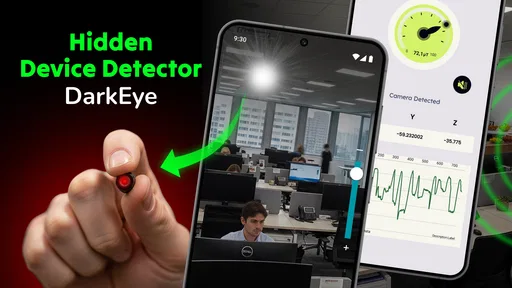
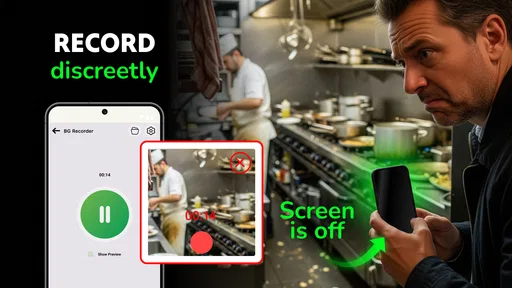
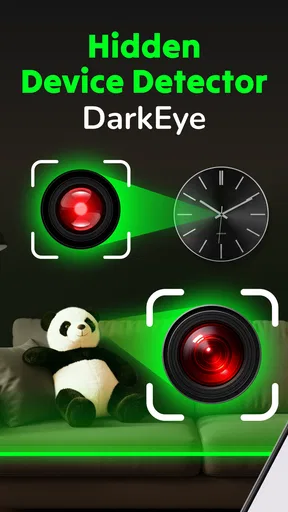
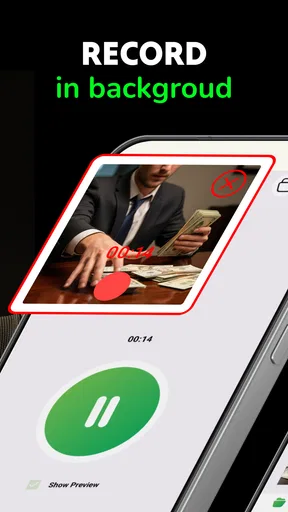
 Analysis by AppCompare
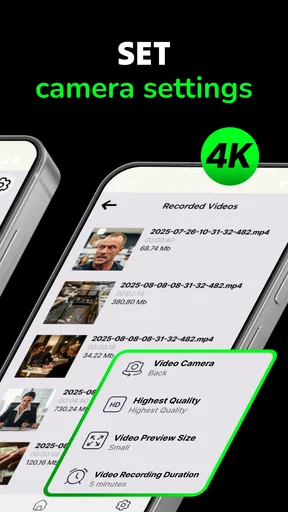
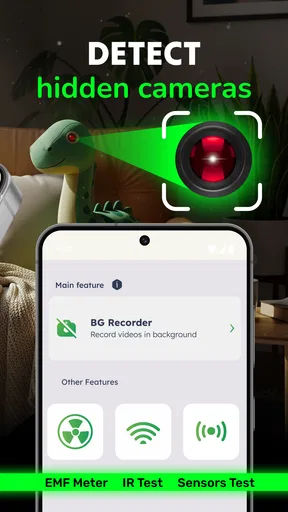
I tried Detect Hidden Devices: DarkEye as a practical household tool rather than treating it like a magic security scanner. Its purpose is easy to understand: it is designed to help look for hidden cameras and microphones, while also offering video recording. That combination makes it interesting for shared spaces, hotel rooms, rented apartments, changing areas, or any situation where I want to make a visual record while checking the surroundings. My overall impression is that it is more useful as an extra layer of awareness than as proof that a room is completely safe.
The app comes from One Music Player and sits in the tools category. It is free to install, rated for Everyone, and currently listed as version 2.1.0 for devices running Android 8.0 or later. Its average score is 4.7 from around 3.3 thousand ratings, with over 100 thousand installs. Those figures suggest that the idea appeals to a fairly broad group, but they should not be confused with a guarantee that every detection will be accurate in every room.
How I used it in a shared household
The most natural home scenario is not dramatic surveillance hunting. It is a shared apartment where several people use the same living room, bedroom, or workspace and want a simple way to inspect an unfamiliar object. A second realistic example is arriving at a short-term rental with friends or relatives. One person can handle the scan while another checks visible fixtures, and the recording function can document anything that deserves a closer look.
I found that the app works best when I slow down and treat the process like a visual inspection. I do not simply open it, move the phone around for a few seconds, and accept the first result. I look at smoke detectors, chargers, clocks, decorative objects, vents, wall fittings, and devices that do not belong in the room. The app can draw attention to suspicious areas, but my eyes and common sense still matter more than a single on-screen indication.
That distinction is important because a phone-based detector cannot turn an ordinary handset into specialized counter-surveillance equipment. Electronic noise, reflective surfaces, nearby wireless devices, and the layout of a room can all affect what appears on screen. I would use DarkEye to decide where to investigate next, not to declare a room certified or cleared.
A useful routine before anyone shares the room
For a household, I recommend agreeing on a short routine before using the app. First, identify the room and explain what is being checked. Then inspect the obvious objects manually, use the detector around areas that seem unusual, and record only what is relevant. This avoids turning a normal safety check into an anxious search that involves every object in the home.
A helpful tip is to compare suspicious results from more than one position. If an alert or unusual indication appears, I move a little closer, then farther away, and check whether the same object remains the focus. I also compare it with ordinary electronics in the room. A result that changes dramatically with small movements deserves a different interpretation from one that consistently points toward a particular object.
Worth Reading Before You Choose

EA SPORTS FC Mobile 26 Is a Bigger Football Game, but It Takes Time

Flipboard Shows What News Apps Must Do Beyond the Feed

Switching to Android Auto Means Rethinking Your Driving Routine

Google Calendar Makes a Crowded Week Easier to Manage

Ludo King Makes the Most of the Minutes Between Plans

Baby Panda World Brings Quick Play to Modern Phones, but Its Game Library Feels Busy
This is one of the app’s less obvious strengths: it encourages a repeatable workflow. The value is not just in opening the detector, but in combining it with observation and documentation. The recording feature can be useful when I want to remember the layout, show another household member what I saw, or keep a visual reference while asking a property manager about an object.
Setup boundaries that matter
DarkEye is free, but the app includes in-app purchases ranging from $0.99 to $99.99 per item. I would check the purchase screen carefully before handing the phone to a child or another person who might tap through unfamiliar options. “Free” makes it easy to begin, but it does not mean every optional element inside the app is necessarily included without charge.
I also prefer to set expectations before opening it on a shared device. Everyone using the phone should know whether the goal is a quick room check, a recording for reference, or an investigation of a specific object. That small boundary prevents accidental recording and avoids confusion about why the camera is active.
Because the app can record video, I would not use it casually around guests, roommates, children, or visitors without explaining what is happening. A detector may be intended for personal safety, but the camera still captures real people and private spaces. I keep the phone pointed at the room features I am checking and stop recording once the useful part is finished.
Another practical boundary is storage and sharing. If I record a room, I treat that file as sensitive even when it contains nothing suspicious. I avoid sending it to a large group chat, and I review the clip before sharing it with a landlord, friend, or family member. A short, focused recording is easier to understand and less intrusive than a long video of everyone moving around the room.
Coordinating a check without creating panic
In a shared home, coordination matters more than the novelty of the detector. I would nominate one person to operate the app and another to make notes or inspect objects. Switching roles halfway through can be useful, but having two people independently interpret the same result is better than letting one person decide that every unusual reading means surveillance.
If the app points attention toward a device, the next step should be calm verification. Ask whether the object belongs there, whether it has a normal purpose, and whether its position makes sense. A charger near a desk is ordinary; a tiny unfamiliar object aimed toward a bed or bathroom deserves a more careful look. DarkEye can support that conversation, but it cannot replace it.
The recording option is particularly useful for coordination when someone else is not physically present. I can capture a short view of the object and send it to a trusted person for a second opinion. I would describe exactly what the app showed and what I observed manually instead of presenting the video as definitive evidence. That wording keeps the discussion grounded and reduces the chance of an unnecessary accusation.
There is also a trade-off between speed and confidence. A quick scan is convenient when checking a room before a meeting, but a slower pass gives more context. If I am inspecting a hotel or rental space, I would rather spend a few extra minutes checking the areas that concern me than sweep the whole room quickly and assume the result is conclusive.
Age, trust, and shared-device use
The Everyone age rating makes the app approachable for general household use, but that does not mean every use case is suitable for unsupervised children. The subject itself can be unsettling, and a child may interpret an unusual result as proof that someone is spying on the family. I would introduce it as a tool for checking unfamiliar devices, not as a reason to search constantly or distrust ordinary household objects.
For teenagers, the more important conversation is consent. If they use a shared phone to record a bedroom, guest area, or another private space, everyone affected should understand what is being captured. The app does not remove the need for family rules about filming people. I would keep the focus on visible equipment and room features, and I would not encourage covert recording of relatives, roommates, or visitors.
Account boundaries matter too. I would avoid passing a logged-in device around without checking what else is accessible through it. If several people use the same handset, the operator should know where recordings are saved and who can view them. DarkEye is a tool, not a substitute for household agreements about privacy, device access, and sharing.
For an older family member who is uncomfortable with technical apps, the simplest approach is to demonstrate the process once. Show how to start the relevant function, how to stop recording, and how to interpret results cautiously. I would not leave someone with the impression that the app can detect every hidden device automatically. Clear expectations are more reassuring than exaggerated promises.
Where it differs from ordinary alternatives
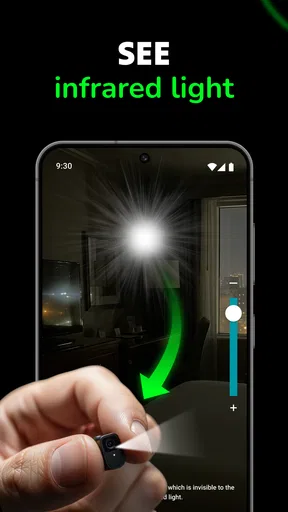
The usual alternative is a manual inspection with a phone flashlight and the device’s standard camera. That approach costs nothing extra and can reveal a lens reflection or an object that looks out of place. DarkEye adds a dedicated interface for the hidden-device task and puts detection and video documentation closer together, which makes the workflow more organized.
On the other hand, a basic camera app can be simpler when I only want to take a normal photo of an object. It may also be preferable for someone who dislikes specialized tools or does not want to deal with optional purchase prompts. DarkEye earns its place when I want the inspection itself to be the center of the session rather than an improvised use of the camera.
Professional detection equipment is a different category altogether. It can offer more specialized measurements and may be the appropriate choice for a serious workplace, legal, or security investigation. I would not choose this app as the sole method for a high-stakes inspection. Its advantage is accessibility: it lets an ordinary phone user begin a sensible check without buying dedicated hardware.
That accessibility comes with a responsibility to interpret results carefully. The app is strongest as a first-pass tool, a way to focus attention and create a record. It is weaker as a final authority. Anyone who needs documented technical certainty should use a qualified specialist instead of relying on a consumer app alone.
Small habits that improve the experience
I found three habits especially useful. The first is to inspect the room before starting the app, because knowing what is normally present makes unfamiliar objects easier to notice. The second is to test a suspicious indication from different distances and angles rather than reacting to one moment. The third is to keep recordings short and label them mentally by room or object so they remain understandable later.
I would also remove obvious sources of confusion where practical. If several personal electronics are active, I note their locations before scanning. That does not eliminate every false indication, but it gives me a reference point. In a shared apartment, asking everyone to identify their own chargers, speakers, cameras, and smart devices can make the check more productive and less confrontational.
Another useful trade-off is deciding when not to scan. If the concern is a normal, known device belonging to a roommate, repeatedly checking it will not add much value. The app is better used when something is unfamiliar, newly installed, badly positioned, or inconsistent with the room’s purpose. Limiting the search keeps the process practical and protects trust within the household.
When I find something genuinely suspicious, I would not immediately dismantle it or accuse someone. I would stop, preserve a clear visual record, note where it was found, and contact the appropriate property owner or authority depending on the situation. The app can help document the first observation, but responsible follow-up still depends on the circumstances.
What I would want users to understand first
The biggest question is whether DarkEye can guarantee that a room contains no hidden camera or microphone. My answer is no. I see it as an aid for finding clues, not a guarantee. Its results need to be combined with physical inspection, knowledge of the room, and sensible judgment.
Another likely question is whether it is suitable for a family phone. It can be, provided the household agrees on who may use it, when recording is acceptable, and how clips are handled. The Everyone rating makes it broadly accessible, but privacy conversations are still necessary, especially when children or guests are involved.
Users may also wonder whether the free installation is enough for ordinary use. It lets you start without an upfront app price, but the presence of in-app purchases means I would review the available options before committing to anything. For a one-time room check, I would avoid assuming that paid elements are necessary until I understand what the free experience already provides.
Finally, does the app replace a specialist? It does not. If the consequences of missing a device would be serious, I would use professional help. For everyday awareness, travel, shared housing, and documenting an unfamiliar object, it is a more approachable starting point than specialized equipment.
My household verdict
My recommendation is cautious but positive. DarkEye gives a shared household a clear way to begin checking unfamiliar spaces, and the combination of detection-oriented tools with video recording makes the process more useful than simply waving a flashlight around. I particularly like it for short-term rentals, newly occupied rooms, and situations where another person needs to review what I found.
I would skip it if I wanted guaranteed technical detection, if I disliked managing camera recordings, or if I expected a completely automatic answer with no manual inspection. I would also avoid turning it into a routine anxiety machine. Used too often or without explanation, any hidden-device tool can damage trust between people who share a home.
For me, the right way to use this free tools app is measured: define the room, agree on privacy boundaries, inspect obvious objects, use the detector as a guide, record only when useful, and seek expert assistance when the stakes are high. With that approach, Detect Hidden Devices: DarkEye is a practical first step rather than an exaggerated promise. It will suit careful users who want more structure during a room check, while people needing professional certainty should choose a dedicated security solution instead.
Pros
- Quick scans help identify suspicious cameras in unfamiliar rooms.
- Simple interface makes the main detection tools easy to access.
- Useful for checking hotel rooms
- rentals
- offices
- and changing areas.
- Provides several detection methods instead of relying on one signal.
- Can increase awareness of common hidden-device warning signs.
Cons
- Results may include false positives from ordinary electronic devices.
- Detection performance can vary with room layout and surrounding interference.
- Some features may require extra permissions or in-app purchases.
- It cannot guarantee that every hidden camera or tracker will be found.
- The app’s effectiveness depends partly on the phone’s sensors and hardware.
FAQs for Detect Hidden Devices: DarkEye
What is Detect Hidden Devices: DarkEye, and how does it work?
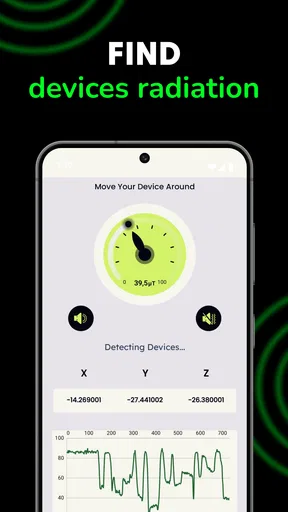
Detect Hidden Devices: DarkEye is designed to help users inspect their surroundings for objects that may resemble hidden cameras or other recording equipment. It may use your phone’s camera, flashlight, magnetic sensor, and visual inspection tools to identify suspicious reflections or unusual magnetic activity. However, it cannot guarantee detection of every device, especially equipment that is switched off, well concealed, or shielded.
Can Detect Hidden Devices: DarkEye reliably find every hidden camera?
No security app can reliably locate every hidden camera or listening device. DarkEye should be treated as an assistance tool rather than professional surveillance-detection equipment. Its results can be affected by lighting, the quality of your phone’s sensors, nearby electronics, metal objects, Wi-Fi conditions, and the type of device being searched for. Always verify alerts manually and avoid assuming that every warning indicates a real threat.
What permissions does DarkEye require, and should I be concerned about privacy?
Depending on the features available in your version, DarkEye may request access to the camera, flashlight, device sensors, and possibly network-related functions. These permissions can be necessary for scanning and inspection tools, but users should review the app’s privacy policy and Android or iOS permission settings before granting access. Deny permissions that are not clearly needed, and uninstall the app if its behavior seems inconsistent with its stated purpose.
How should I use DarkEye when checking a hotel room, rental, or office?
Begin with a careful visual inspection of smoke detectors, chargers, clocks, mirrors, vents, outlets, and unfamiliar electronic objects. Use DarkEye in a quiet, well-lit environment and scan suspicious areas from different angles rather than relying on a single reading. Move away from large appliances and metal surfaces when testing magnetic features, because interference can create misleading results. Never damage property or confront someone based only on an app alert.
Is Detect Hidden Devices: DarkEye free, and does it contain advertisements or in-app purchases?
The availability of free tools, advertisements, premium features, or in-app purchases can vary by platform and app version. Before downloading, check the official Google Play Store or Apple App Store listing for the current pricing and subscription information. Also review recent user feedback, the developer’s identity, and the requested permissions. If a feature is locked behind payment, make sure you understand whether the charge is one-time or recurring.


